resource planning for construction projects

Balanceresourcesand projectdeadlines.

See how these results are achieved

01 When a schedule loses balance

Schedules become realistic when they account for available resources.

01

A project schedule answers what follows what, but not always who and what will deliver it.

dependencies ≠ capacity
02

Manual leveling removes individual peaks, but can quietly extend the schedule and increase cost.

local decisions
03

People, equipment, materials, and budget constrain a project simultaneously — they belong in one model.

one constraint system

02 Features

The whole project — from the source schedule to actuals — in one model.

Choose a scenario to see the details.

03 Import and preparation

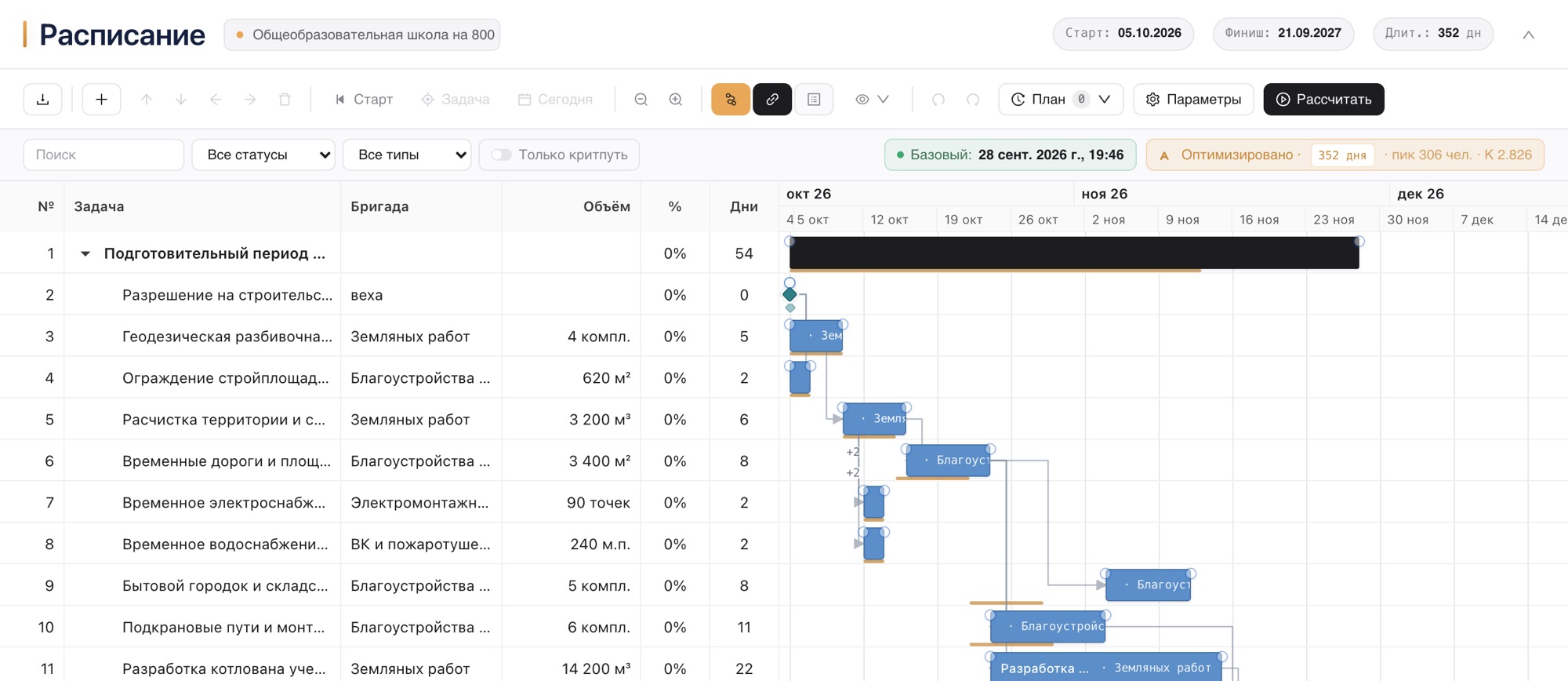
Import or build a schedule, then manage it in one system.

Upload MS Project .xml or Primavera P6 .xer — or create tasks manually. WBS, durations, and dependencies are preserved. Preview everything before it is written.

  • importMS Project (.xml) · Primavera P6 (.xer) · Excel
  • manualbuild a schedule from scratch in the UI
  • linksFS, SS, FF, and SF with lags
  • previewitems, actions, and warnings before writing
Import preview · project.xmlbefore writing to the project
The file is ready to import: items will be created, with warnings.
typeitemaction
GroupKey milestonescreate
MilestoneWork startcreate
TaskExcavationcreate
CalendarSix-day workweekreplace
The project start date will be updated from the file. The work calendar will be replaced by the calendar from the file.
WBS — preserveddependencies — preserveddurations — preserved

04 Optimization

One calculation accounts for every constraint, not just people.

Balancier distributes not only manpower, but also equipment, material availability, and monthly cost — simultaneously, in one schedule. Every resource stays within its limit.

Calculation methods — Resource optimization and CPM; quality profile — Fast · Balanced · Best.

Resources · within limitsafter optimization · one calculation
Equipmentunits / daywithin limit
limit 12 units
day 0finish
Materials · concretem³ / daywithin limit
limit 120 m³
day 0finish
CostRUB million / monthwithin limit
limit RUB 48m
month 1month 9

05 Four steps

From schedule to actuals without rework.

01

Import the schedule

Use MS Project (.xml, File → Save As → XML) or Primavera P6 (.xer). Balancier recognizes the WBS, durations, and dependencies.

preview → write
see what will be created

02

Set resources and limits

Create shared resource directories with limits. Set material demand on tasks and crew skills by work type.

directories
shared across projects

03

Run the calculation

Choose Resource optimization or CPM and a quality profile. Balancier builds a schedule within the limits you set.

Fast · Balanced · Best
quality profile

04

Track actuals

Enter actual dates and quantities. The Gantt shows plan and actuals; recalculation rebuilds the remaining work and manpower forecast.

plan / actual
+ remaining-work calculation

06 Consulting

When there are many options, we help you choose the best one.

We review the task, constraints, and scenarios, compare alternatives, and choose the one that best meets schedule, resource, and cost goals.

01 · Constraints

Review options and constraints

We outline possible solutions and selection criteria: crew and equipment availability, supplies, budget, deadlines, and client requirements.

options · constraints · selection criteria

02 · Method

Choose the best scenario

We compare work organization and resource allocation options, showing trade-offs among schedule, cost, utilization, and risk.

scenarios · resources · schedule · cost · risk

03 · Discussion

Describe the task — we will see how to solve it using your data

We will reply to this email

Balancier — construction project precision.

In a clock, the balance wheel (French: balancier) regulates the movement and maintains its precision. In a construction project, our system aligns the schedule, resources, and constraints to improve the precision and predictability of production.

import: XML · XER · Excelmethods: Resource optimization · CPMlimits: people · equipment · materials · budget